|
Size: 332
Comment:
|
Size: 1569
Comment:
|
| Deletions are marked like this. | Additions are marked like this. |
| Line 1: | Line 1: |
| == FreeSurfer VitrualBox VM Host System Requirements == '''Summary of Requirements:'''<<BR>> Tested running on hosts: Windows 10, Mac OS 10.15 with VirtualBox 6.X <<BR>> Host RAM: 8G - 16GB RAM<<BR>> Host Graphics card: 3D graphics card with its own graphics memory & accelerated OpenGL drivers<<BR>> A working network connection |
== FreeSurfer VitrualBox VM Image == '''System Requirements:'''<<BR>> Tested running on hosts: Windows 10, Mac OS 11.6 (Intel Mac) with VirtualBox 6.1.30. <<BR>> 12-16 GB of free RAM for the VM apart from the RAM already in use by the host OS and running applications. <<BR>> Host Graphics card: 3D graphics card with its own graphics memory & accelerated OpenGL drivers. <<BR>> Host Disk Space: ~8G for virtual image download (compressed *.ova file), ~30G for expanded VM image. <<BR>> Host: A working network connection. '''Suggested User Background:'''<<BR>> Some familiarity with downloading files through a browser, e.g., firefox, or using commands such as wget, curl from the linux terminal. <<BR>> Some familiarity with the linux terminal running bash shell including removing, copying, editing files and setting/unsetting environment variables. <<BR>> Some familiarity with simple bash commands/scripting as found in the shell initialization file. '''1st time install of VirtualBox on Windows OS:''' [[https://surfer.nmr.mgh.harvard.edu/fswiki//VM_67_win|WinHost_VM_setup]]. '''1st time install of VirtualBox on Mac OS:''' [[https://surfer.nmr.mgh.harvard.edu/fswiki//VM_67_mac|MacHost_VM_setup]]. '''Download the virtual image:''' [[https://drive.google.com/file/d/1ZUhsx0HKfTjtp2o9lHUHr4TK90m-5qBt/view?usp=sharing|FS_Ubuntu_18_04_06.ova]]. Once the VM starts and you have added you Freesurfer license file, you can start a terminal and it should come up with the environment set to run the 7.2.0 release. {{attachment:Ubuntu_VM_720.png}} |
FreeSurfer VitrualBox VM Image
System Requirements:
Tested running on hosts: Windows 10, Mac OS 11.6 (Intel Mac) with VirtualBox 6.1.30.
12-16 GB of free RAM for the VM apart from the RAM already in use by the host OS and running applications.
Host Graphics card: 3D graphics card with its own graphics memory & accelerated OpenGL drivers.
Host Disk Space: ~8G for virtual image download (compressed *.ova file), ~30G for expanded VM image.
Host: A working network connection.
Suggested User Background:
Some familiarity with downloading files through a browser, e.g., firefox, or using commands such as wget, curl from the linux terminal.
Some familiarity with the linux terminal running bash shell including removing, copying, editing files and setting/unsetting environment variables.
Some familiarity with simple bash commands/scripting as found in the shell initialization file.
1st time install of VirtualBox on Windows OS: WinHost_VM_setup.
1st time install of VirtualBox on Mac OS: MacHost_VM_setup.
Download the virtual image: FS_Ubuntu_18_04_06.ova.
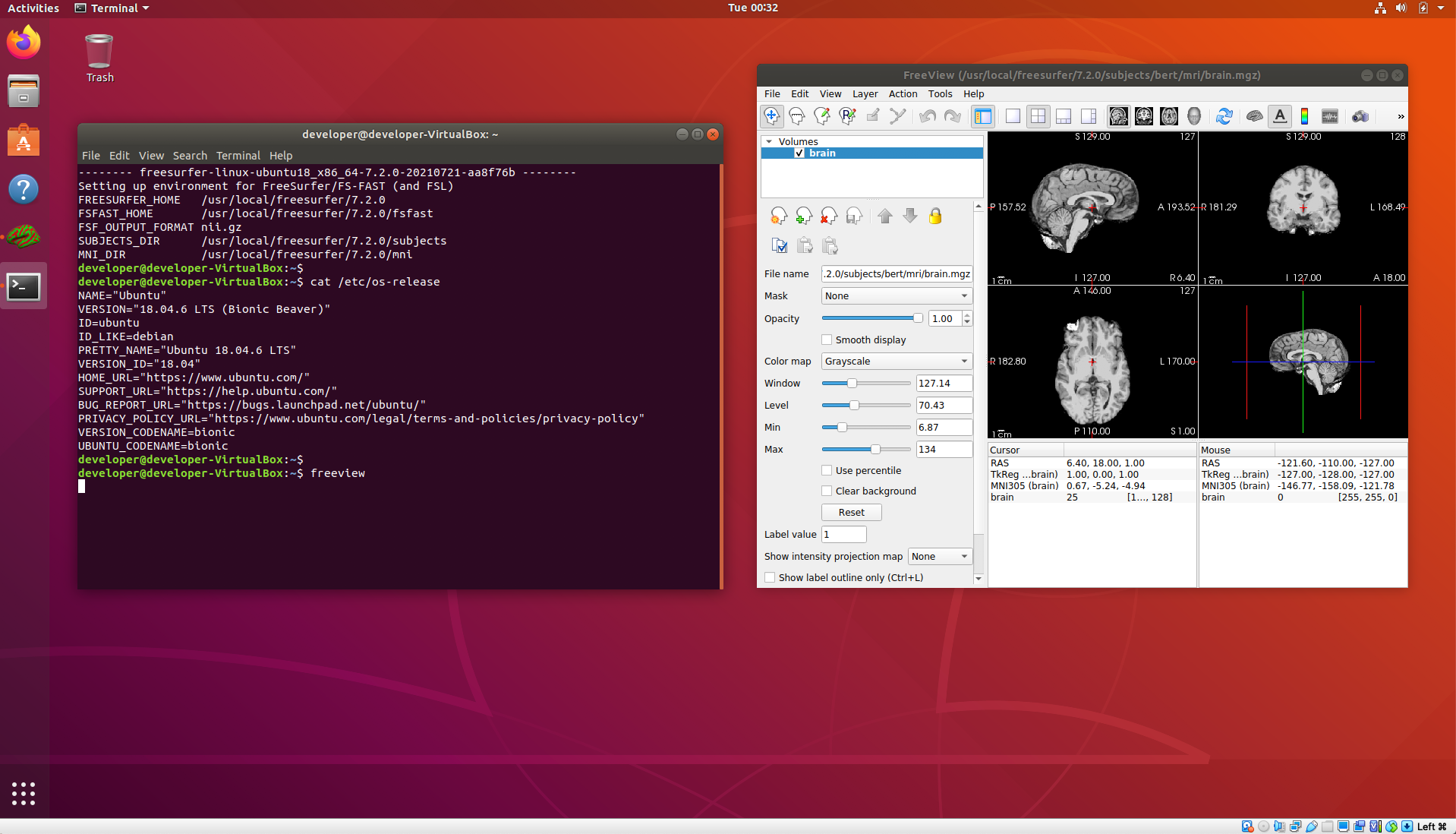
Once the VM starts and you have added you Freesurfer license file, you can start a terminal and it should come up with the environment set to run the 7.2.0 release.