|
Size: 2228
Comment:
|
← Revision 11 as of 2018-09-30 15:28:48 ⇥
Size: 988
Comment:
|
| Deletions are marked like this. | Additions are marked like this. |
| Line 1: | Line 1: |
| [[fswiki|top]] | = Filtering Streamlines = |
| Line 3: | Line 3: |
| = Software Project Template = '''edit as needed''' |
This tool filter streamlines from a *.trk file based on: * a mask; * length; * u-shape fibers based on a segmentation file.; |
| Line 6: | Line 9: |
| <<TableOfContents>> | = Usage = |
| Line 8: | Line 11: |
| == Introduction == This document describes the high level design of the software. |
{{{ streamlineFilter -i input.trk -o output.trk <options> }}} where |
| Line 11: | Line 16: |
| == Use Case Analysis == A use case analysis merely addresses the most obvious of questions: who needs the software, and what are they going to do with it. |
-i input streamline.trk file (required) |
| Line 14: | Line 18: |
| === Actors (Users) === In UML terminology, the persons (or software agents) external to a software component are called the actors. |
-o output streamline.trk file (required) |
| Line 17: | Line 20: |
| ==== Research ==== === Scenarios (Use Cases) === These establish the framework for test cases. They also bring out the vocabulary of the system. This vocabulary is defined in the Terms section following these scenarios. |
-l threshold length. Streamlines shorter than a threshold will be removed. |
| Line 21: | Line 22: |
| ==== Use Case #1 ==== ==== Use Case #2 ==== ==== Use Case #3 ==== ==== Use Case #4 ==== === Terms === The following is a list of some of the vocabulary used in the preceding scenarios, plus terms that are common across the system in which the software is used. |
-r reference image |
| Line 28: | Line 24: |
| == Requirements == === General Requirements === === Specific Requirements === == Implementation == === API === === System Architecture and Primary Components === === Classes === === Collaboration and Sequence Diagrams === UML diagrams describing the time-course of the objects composing the executable. |
-m mask image. All streamlines outside the mask will be removed. This input doesn't need to be binary, streamlines passing through voxels with intensity larger than zero will be kept. |
| Line 38: | Line 26: |
| === Properties === Here are listed the configurable properties of the executable. These can be configurables read from a configuration file, or configurables hard-coded into the source code. |
-nu no ushape fibers. This flag will remove every streamline that starts and ends with the same segmentation label. (-m flag should input a segmentation). |
| Line 41: | Line 28: |
| == Test Plan == === Introduction === Tests should cover the following categories of testing. |
-s subsampling number. It will randomly pick a subset of the streamlines in the file. |
| Line 45: | Line 30: |
| ==== Functional ==== This type of test ascertains whether the software executes its basic functionality under optimal conditions. ==== Boundary ==== This type of test determines the breaking points of the software, and whether the software gracefully handles input near and beyond these boundaries. ==== Stability ==== This type of test determines long-term behavior of the software: whether is has a memory leak, or prone to crashes which are not repeatable in any single run of any of the other tests. ==== Performance ==== These tests produce benchmarks on the performance of the software. == References == |
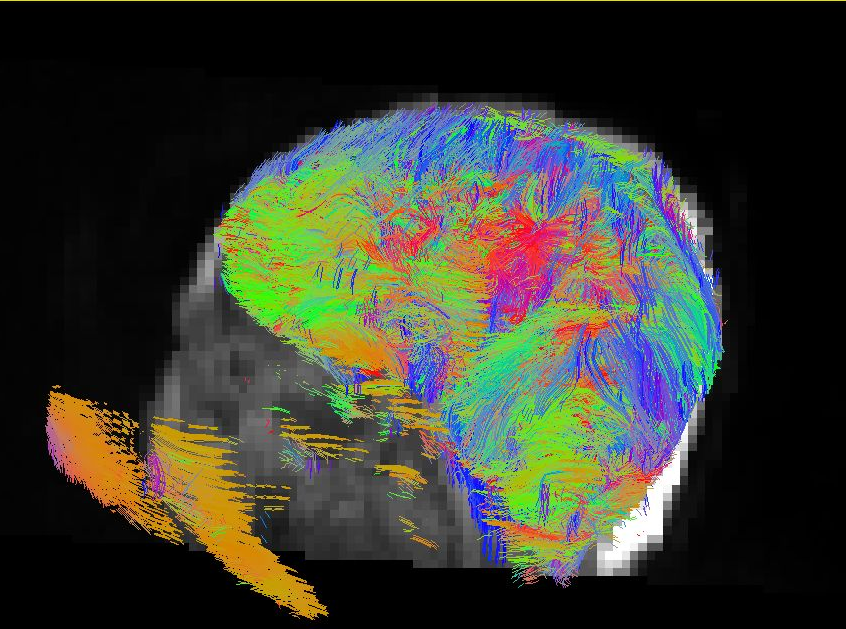
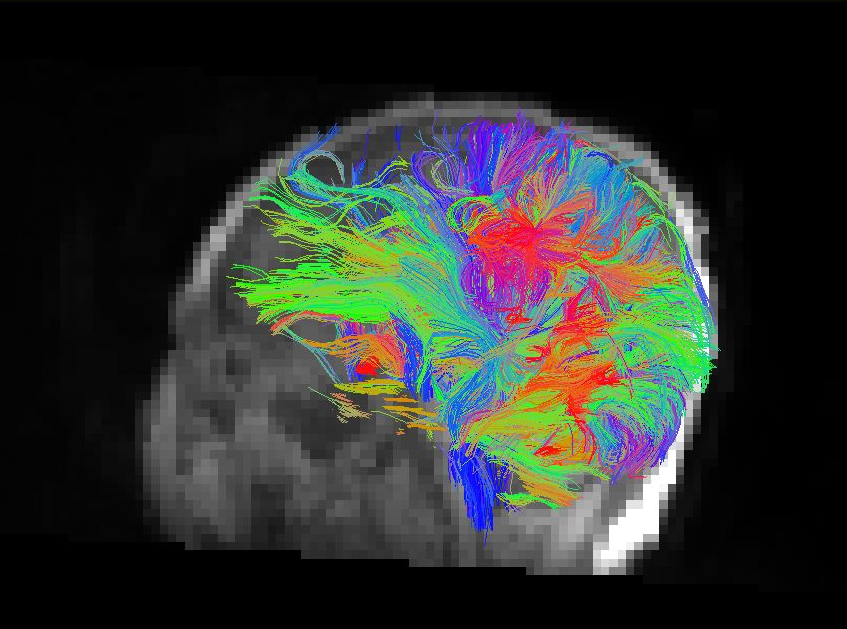
{{attachment:filtering_before.png||height="360px"}}{{attachment:filtering_after.png||height="360px"}} |
Filtering Streamlines
This tool filter streamlines from a *.trk file based on:
- a mask;
- length;
- u-shape fibers based on a segmentation file.;
Usage
streamlineFilter -i input.trk -o output.trk <options>
where
-i input streamline.trk file (required)
-o output streamline.trk file (required)
-l threshold length. Streamlines shorter than a threshold will be removed.
-r reference image
-m mask image. All streamlines outside the mask will be removed. This input doesn't need to be binary, streamlines passing through voxels with intensity larger than zero will be kept.
-nu no ushape fibers. This flag will remove every streamline that starts and ends with the same segmentation label. (-m flag should input a segmentation).
-s subsampling number. It will randomly pick a subset of the streamlines in the file.